
Keyboard Key Guide
Below is a guide covering multiple unique keyboard keys available on Logitech keyboards:
Applicable to:
K980
K620
MK880
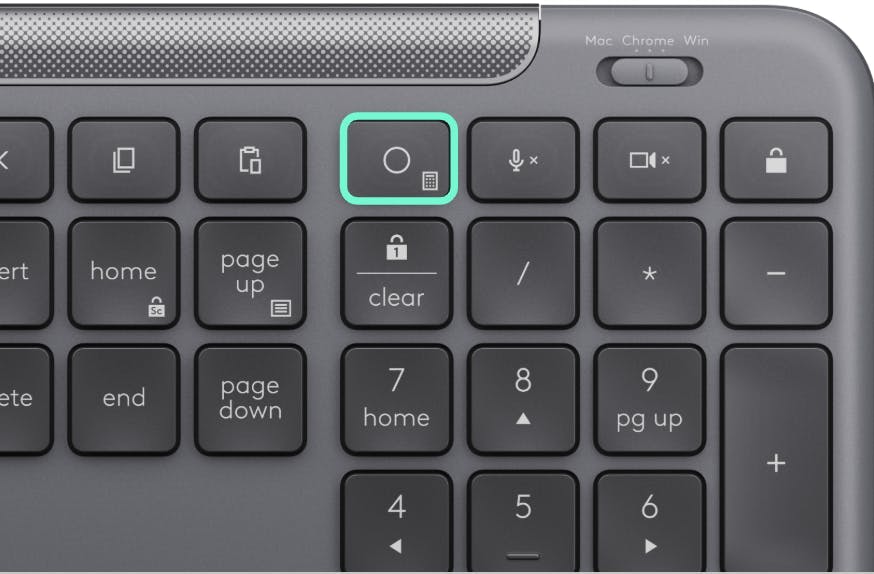
Action Key
The “Action Key” is a direct access to any additional shortcut that you would like to add to your keyboard. We recommend to customize it to any of the Smart Actions available on Options+ software.
* Action key has a default Calculator function assigned out of the box without installing software on Windows, while on macOS it has no function unless you customize it Options+ or Tune.
** The action key on Chrome OS is only a calculator key without the option to be customized.
Operating System
Key
Without Software
With Options+
With Tune
Windows
Action Key
Calculator
To be customized
Recommended Smart actions
To be customized
Mac
Action Key
Does nothing
To be customized
Recommended Smart actions
To be customized
Chrome
Action Key
Calculator
SW not available
SW not available
Video Conference Keys Guide
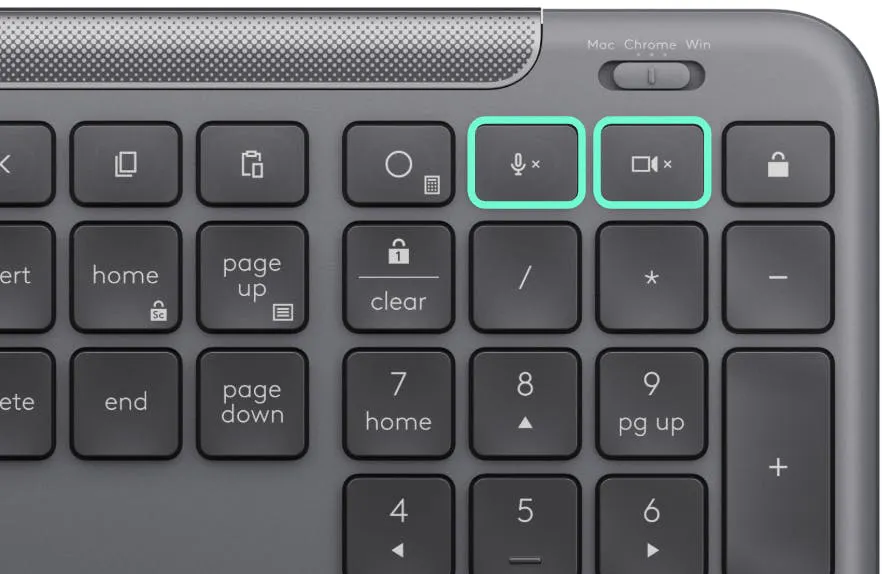
Your Signature Slim Keyboard has both, a mute mic key and video on and off key.
On Windows and macOS you will require Options+ or Tune apps to get the full functionality of those keys.
On Chrome OS the functions will work by default out of the box but they won't be able to be customized.
See the chart below for detailed functionality.
Operating System
Buttons
Without Software
With Options+
With Tune
Windows
Mute Mic
Mute Mic on Teams, WhatsApp, Webex
System Mute
Mute on Zoom
Mute on Teams
System Mute
Mute on Zoom
Mute on Teams
Windows
Video On/Off
Does nothing
Video toggle Zoom
Video toggle Teams
Video toggle Zoom
Video toggle Teams
Mac
Mute Mic
Does nothing
System Mute
Mute on Zoom
Mute on Teams
System Mute
Mute on Zoom
Mute on Teams
Mac
Video On/Off
Does nothing
Video toggle Zoom
Video toggle Teams
Video toggle Zoom
Video toggle Teams
Chrome
Mute Mic
System Mute
SW not available
SW not available
Chrome
Video On/Off
System video toggle
SW not available
SW not available
AI Key Guide
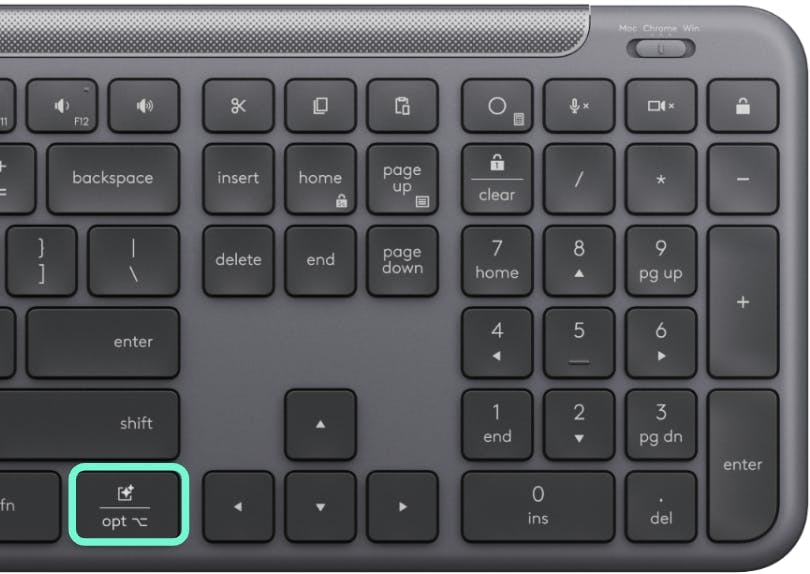
Your Signature Slim Keyboard now features easier access to AI tools. The default function on Win is Copilot*. For both Windows or Mac you can use Options+ or Tune apps to customize it to your favorite AI tools such as Chat GPT, Perplexity, etc.
For Chrome OS the function will Launch Gemini as default function out of the box, however this key will not be customizable.
See the chart below for detailed functionality.
Operating System
Key
Without Software
With Options+
With Tune
Windows
AI Key
Launch Copilot*
Revert to right control
Ask Perplexity
Ai Reply to a Message
Open Chat GPT
Open AI prompt Builder
Revert to right control
Perplexity
Chat GPT
Claude
Mac
Option Key
Right Option
Revert to right control
Ask Perplexity
Ai Reply to a Message
Open Chat GPT
Open AI prompt Builder
Perplexity
Chat GPT
Claude
Chrome
AI Key
Launch Gemini*
SW not available
SW not available
*Copilot requires Windows 11 or later and Gemini requires Chrome version 133.0.6882.0 or above.