
What are the differences between Logi Bolt USB-C and USB-A receivers?
Both receivers are built on the trusted Logi Bolt wireless technology, delivering full-encrypted, secure wireless connections in demanding environments. Choose between Logi Bolt USB-A and USB-C connectivity to fit your device’s port and your workflow.
You may also refer to the detailed comparison below:
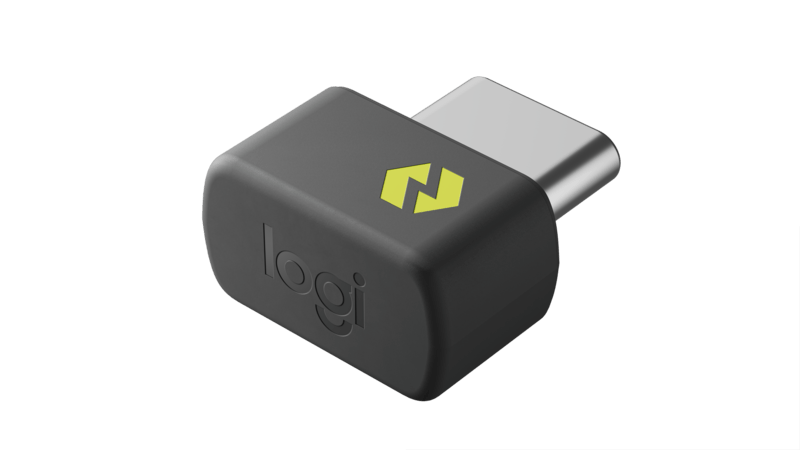
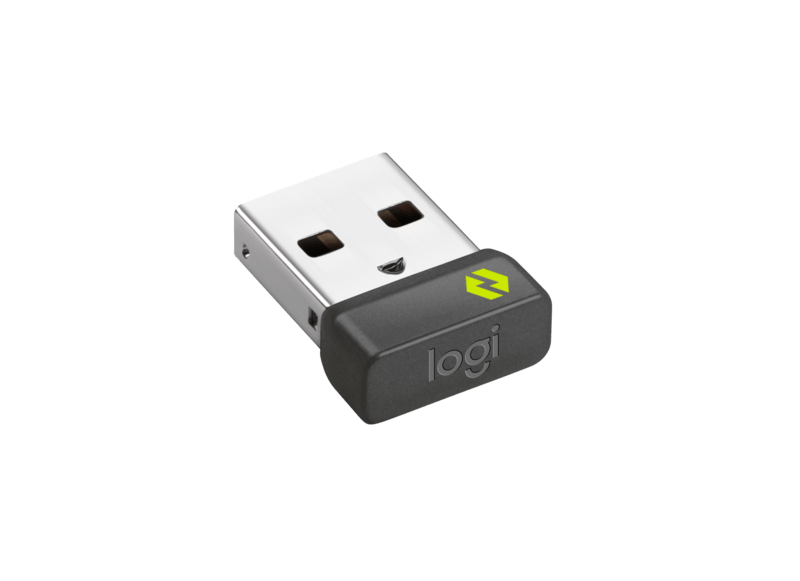
Parameter
Logi Bolt USB-C Receiver
Logi Bolt USB-A Receiver
Transmission
Parameters
Radio frequency band
2.4 GHz ISM
Direct connect to host computer via Bluetooth
Up to 37 with frequency hopping (same as Bluetooth Low Energy)
Device nominal transmission power (dBm)
4-10 (same as Bluetooth Low Energy)
Range: Logi Bolt USB receiver (ft/m)
33/10
USB receiver total radiated power (mW)
(Increased TRP helps improve resistance to interference, such as Wi-Fi (1), Bluetooth, RF analog surveillance camera and other brands’ proprietary protocols in the 2.4 GHz band)
2
0.6
Exposition to interference in continuous tracking (= typical percentage of time during which the radio channel is used, and prone to collide with other radio traffic)
2.5%
Responsiveness
Bandwidth: peak, raw (Mbps bursts)
2
Mouse report rate (rpts/s)
133 (1 report per 7.5 ms)
Keyboard typing speed (keys/s)
25
Latency in a clean environment (ms)
< 8
Latency following a power up (ms)
< 300
Latency following low power mode (ms)
Implementation specific
Architecture
Capabilities
Mouse and keyboard encryption
Yes (AES-CCM 128-bits)
Downstream capability
Yes
Downstream bandwidth (kbits/s)
Up to 20
Number of wireless products per Logi Bolt USB receiver
Up to 6 Logi Bolt wireless products
Full compatibility with optional software (2)
Yes (3)
Designed for Sustainability
Made with recycled
plastic
Plastics: 85% post-consumer recycled material (4)
-
General
Dimension (Height x Width x Length)
7.0. x 12.85 x 14.1 mm
(Meets USB-C dimension standards)
6.11 x 14.4 x 18.65 mm
Weight
0.97 g
1.68 g
Supported devices
Laptop/computer/tablet/
smartphone (5) with USB-C port
Laptop/computer with USB-A port
You can also access the Logi Bolt White Papers here:
Footnote:
(1) Logitech proprietary algorithm makes frequency hopping more efficient compared to direct Bluetooth Low Energy connection. Wi-Fi access point impact on wireless link in the 2.4 GHz band: depending on the settings of the Wi-Fi network, interference may affect all wireless devices working in the same frequency band.
(2) For example: key customization, smooth scrolling, and other advanced features.
(3) While all Logi Bolt products are compatible with Options+ software, functionalities may vary by product.
(4) Excludes plastic in printed wiring assembly and packaging.
(5) The basic functions of Logitech devices like keyboards and mice that are attached to a laptop, notebook, etc., are supported without additional software for systems other than Windows and macOS.