2.10 Meeting Rooms - Add Devices By Serial Number
Adding your devices to Sync by serial number is very simple and can be done a couple of ways. If you are not using Sync to manage your devices, you can still add your devices to Sync by serial number to track warranty dates and manage license assignments to ensure your devices are covered by your preferred service (Sync Plus, Essential, or Select).
From the device inventory click add device.
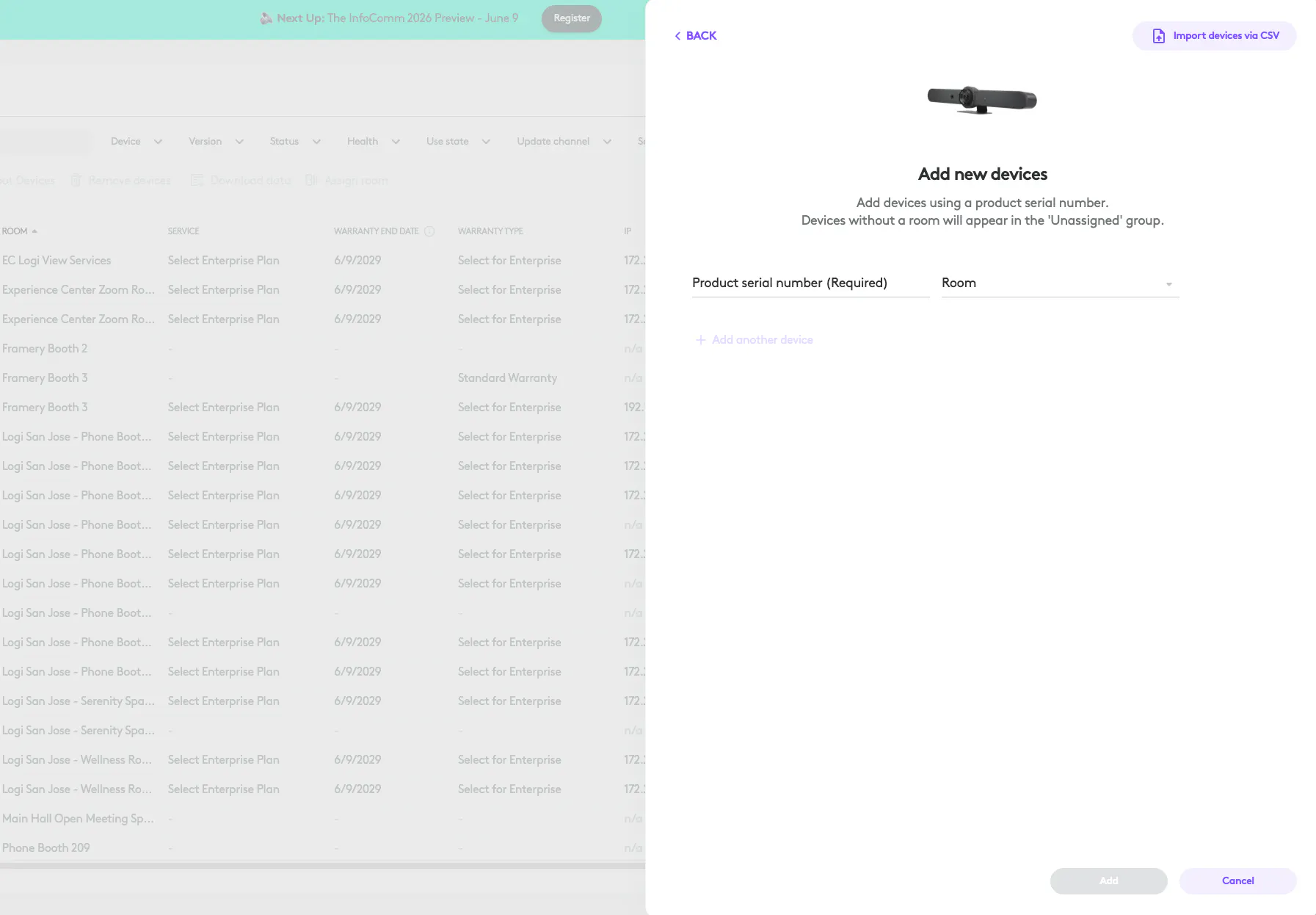
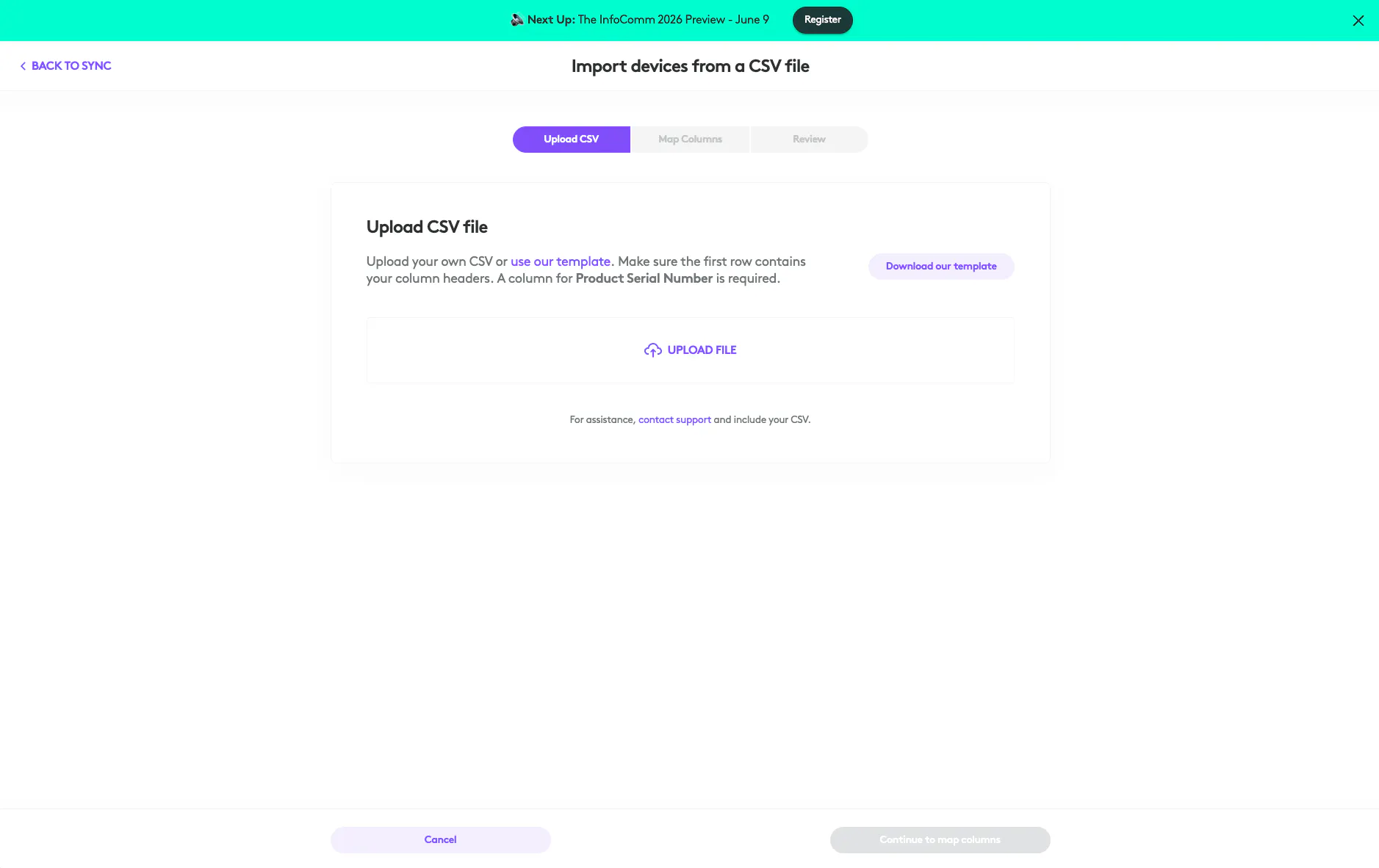
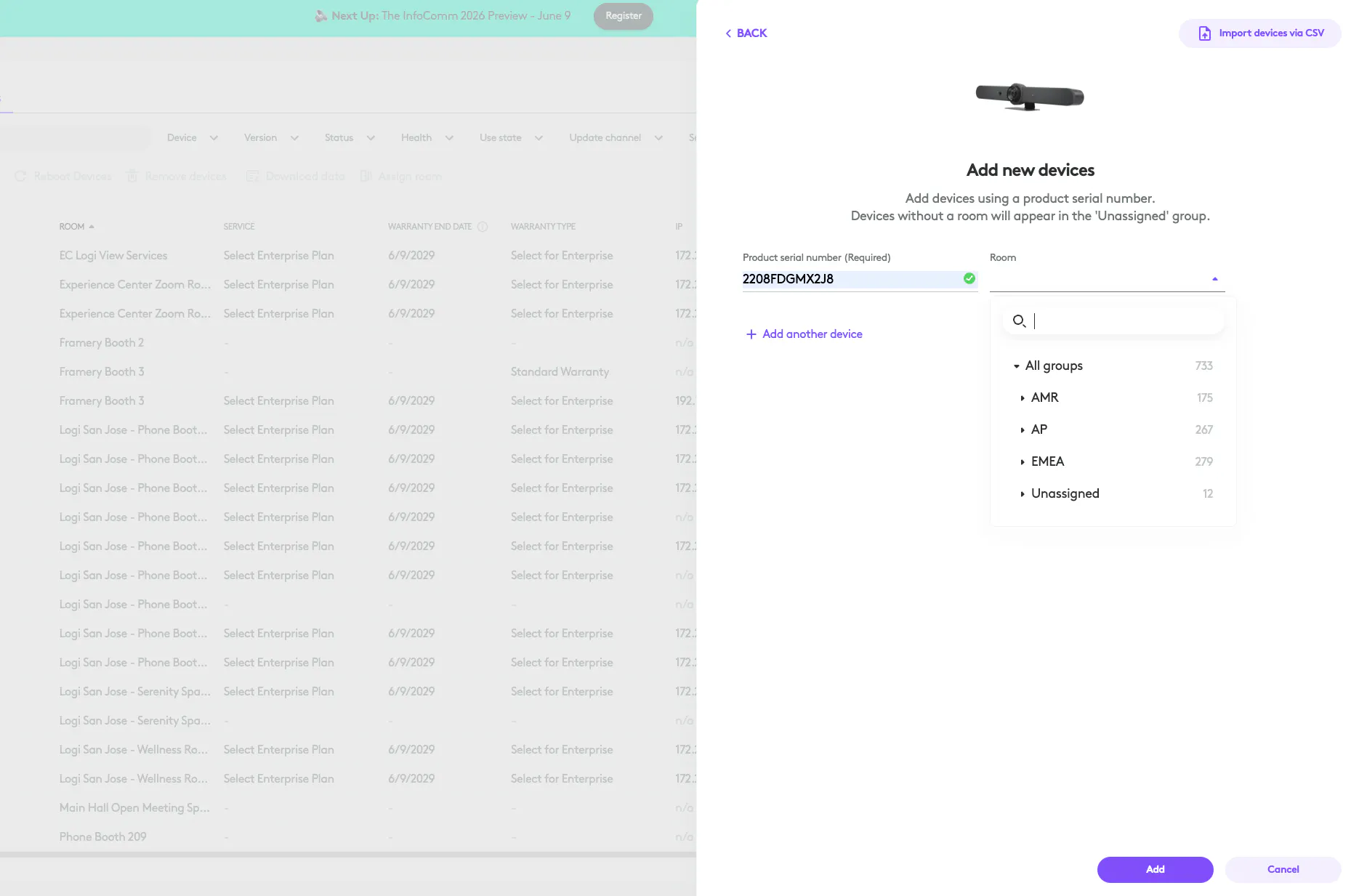
Here you can choose to either add individual devices or upload a CSV of serial numbers. We'll start by adding a singular device. Simply add the serial number and select the room you wish to add the device too. Room is not required, you can move it into a room later from the inventory.
Once added you will see your device added in the inventory. It will display as a grey unknown status as the device is not provisioned to sync, only registered. You cannot see details like software version, IP, MAC, etc. if the device is not provisioned.
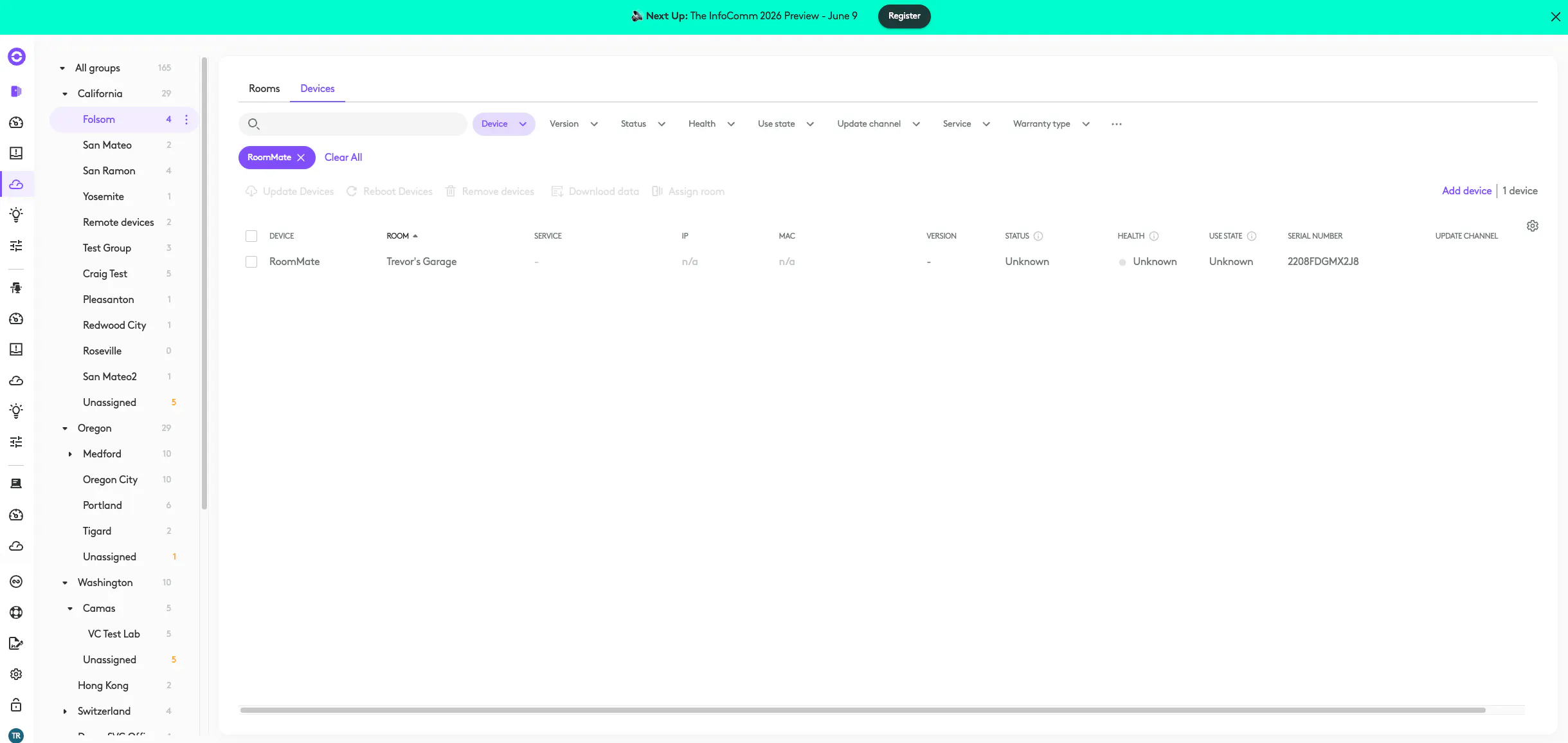
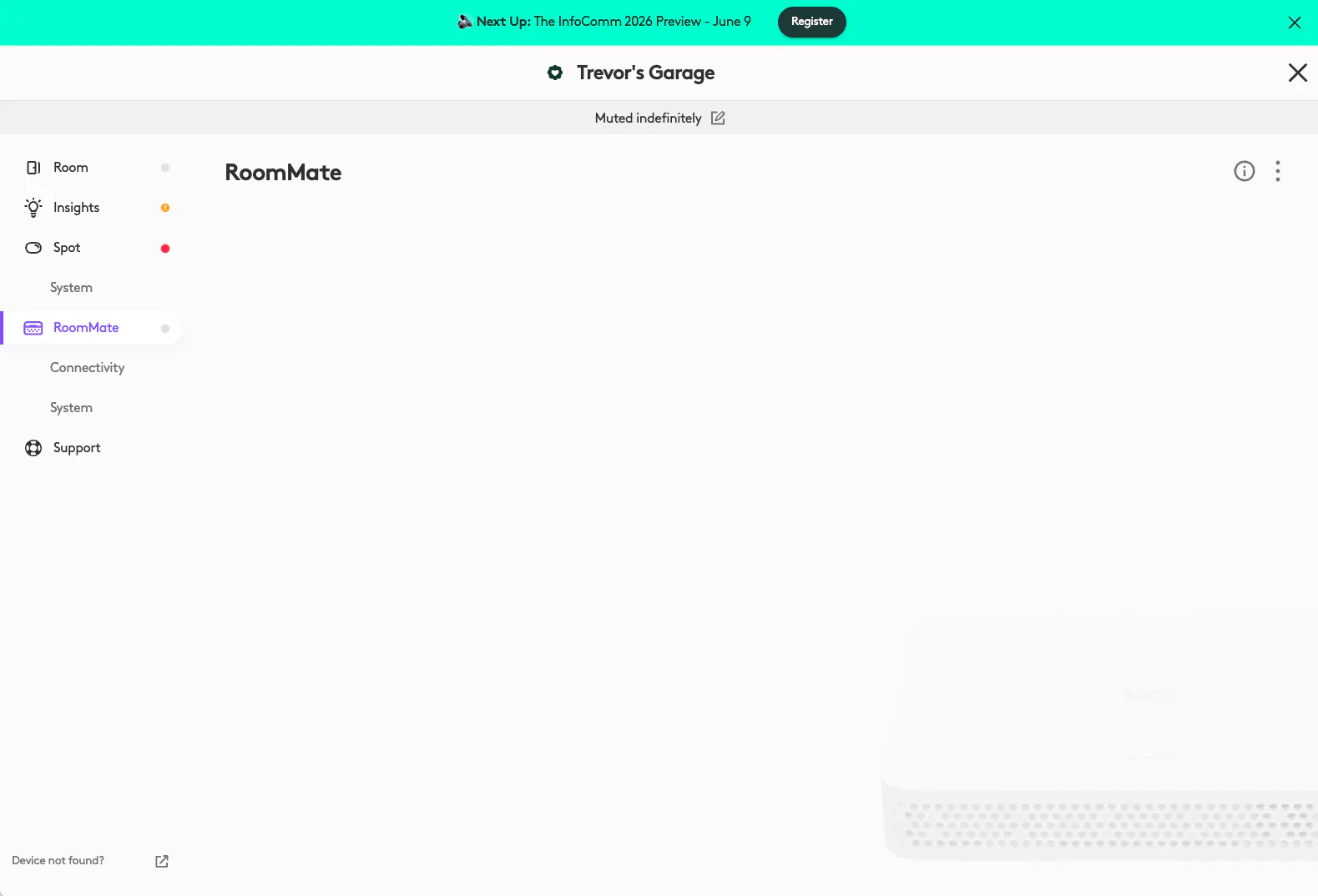
If you navigate to the room your device is in, you'll notice the same unknown grey state is visible.
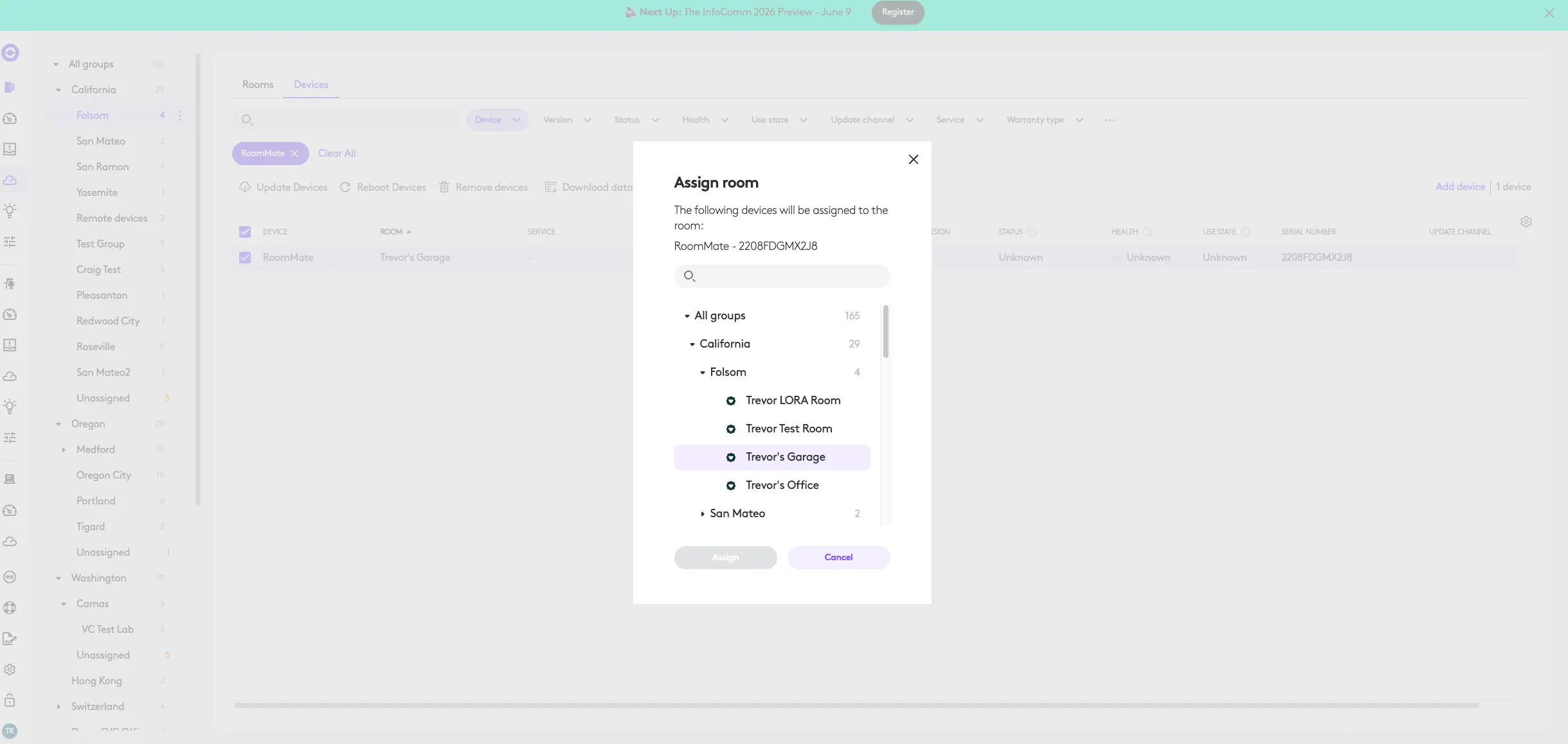
If you chose not to assign your device to a room at the time of adding the serial number you can easily move it to a room from the inventory actions.
If you wanted to add a lot of devices choose the CSV upload from the add device flow we saw earlier and follow the instructions to upload your serial numbers.