
Expanding on Interoperability: Google Meet on ChromeOS
Not too long ago, we shared an exciting update about interoperability for rooms running Google Meet on Android. This feature broke down barriers between platforms, enabling employees to join Zoom and WebEx meetings directly from the Tap meeting controller.
Now, that interoperability story expands with Google Meet in ChromeOS-based meeting rooms. In this latest update, Google and Logitech are extending the flexibility and simplicity of cross-platform collaboration even further.
You can now join ad-hoc or scheduled Microsoft Teams meetings from Google Meet on ChromeOS from the Tap controller.
This is how it works:
To join a Microsoft Teams call, you just have to enter the meeting room ID and password.
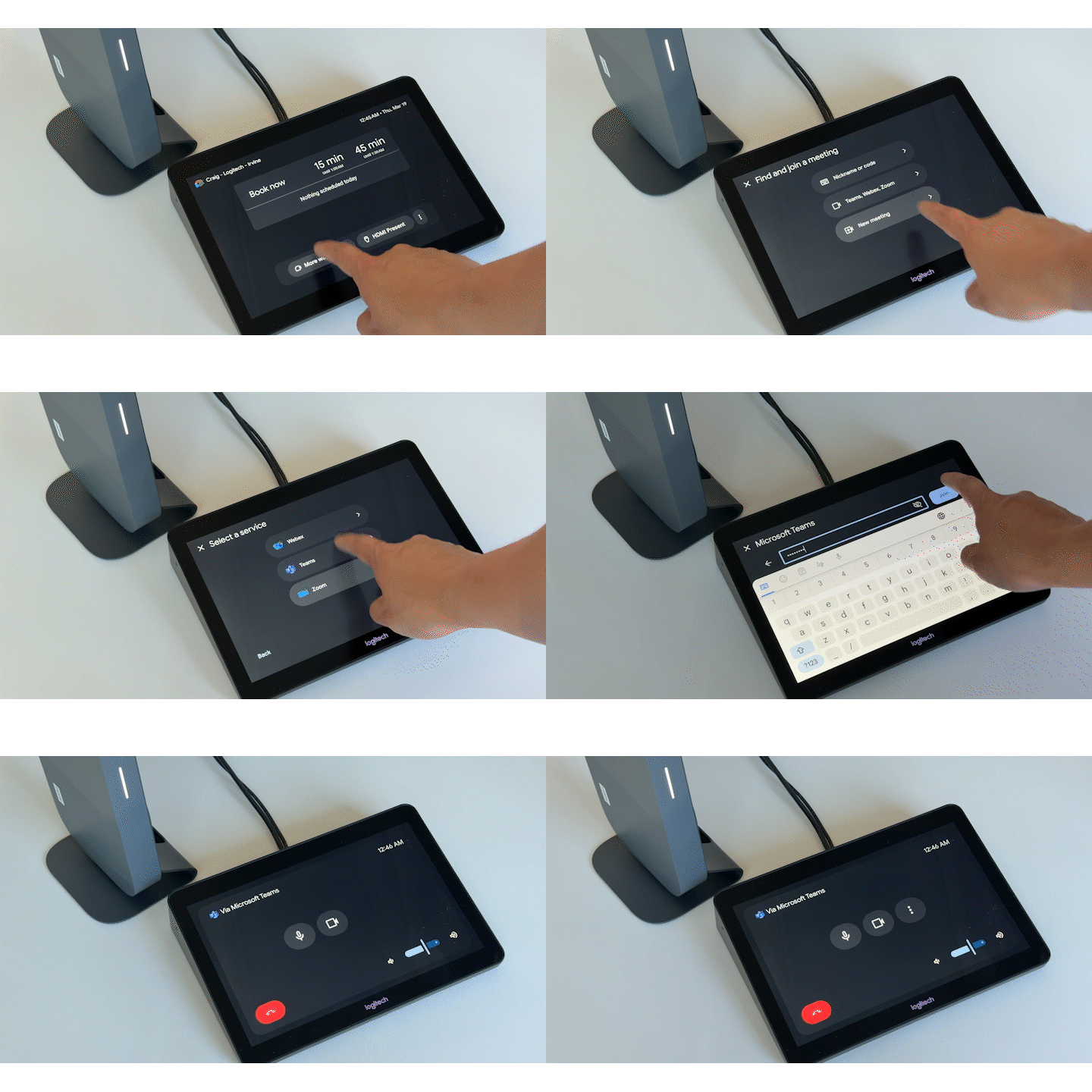
To schedule a Microsoft Teams meeting for the Google Meet room, you have to add the desired Google Meet room to the meeting invitation. For more details, be sure to check out this guide.
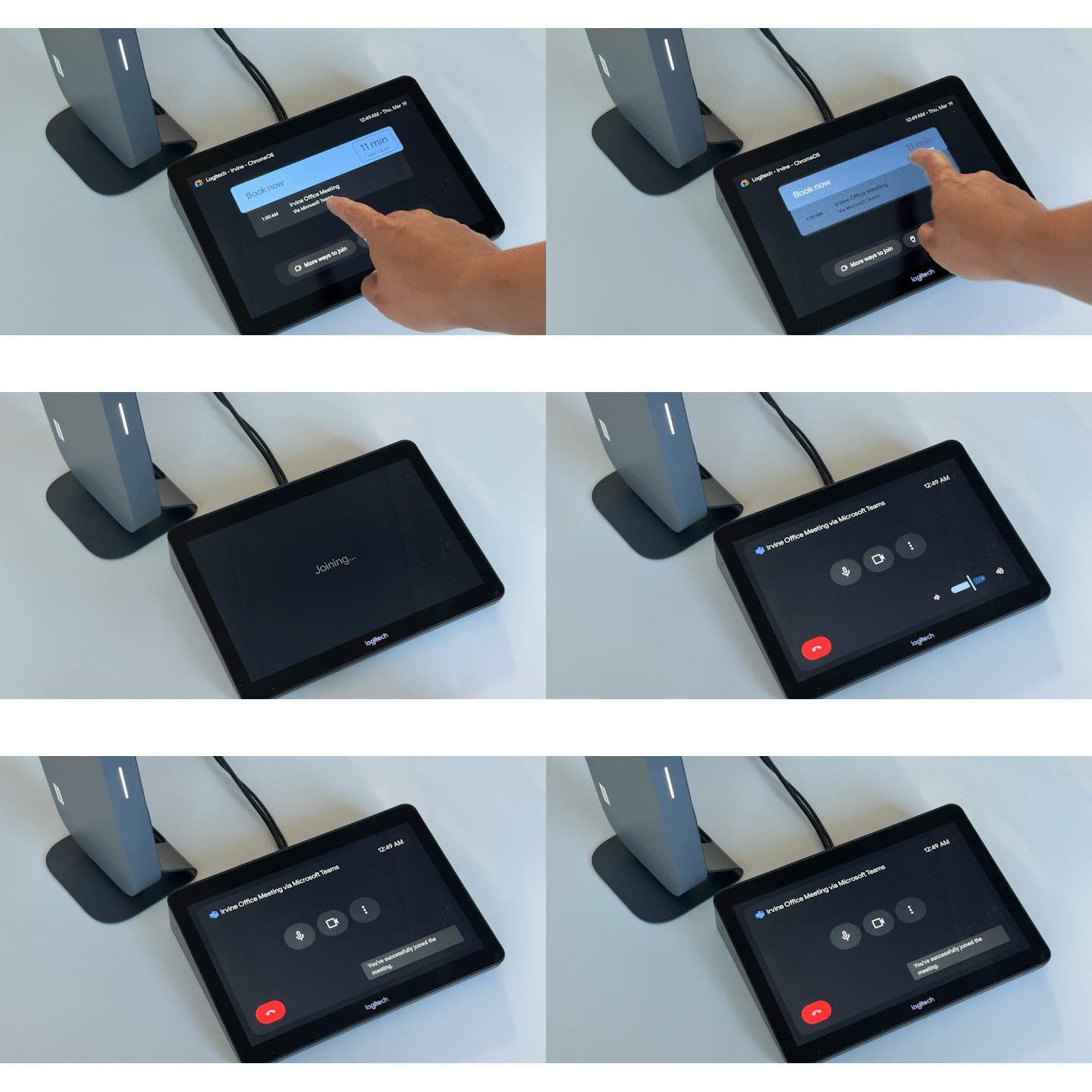
What this means is that employees can now join meetings on the Microsoft Teams platform even if they are in a room that is provisioned to Google Meet on ChromeOS. Meetings just got even simpler and smarter.
For administrators, this feature will be on by default in Google Admin console; you will have the flexibility to toggle this setting.
This new feature enhances your existing Logitech device on Google Meet platform, offering a more integrated and native solution for cross-platform meetings. So whether your organization's rooms are deployed for Android-based or ChromeOS, the goal remains the same: simplifying collaboration.
This feature is now available. Check out more information about this feature here.