
Setting Up Spot: Pairing with a CollabOS Device
Before You Begin:
Ensure Spot is powered on.
If this is the first-time setup, remove the battery isolation tab (breaker).
Wait for the boot process to complete. The LED will cycle through red, blue, and green, then blink white twice.
For the optimal environmental measurements: Optimal height: between 1-1.8 meters in height (~ 3-6 feet)
Enable Pairing Mode on Spot:
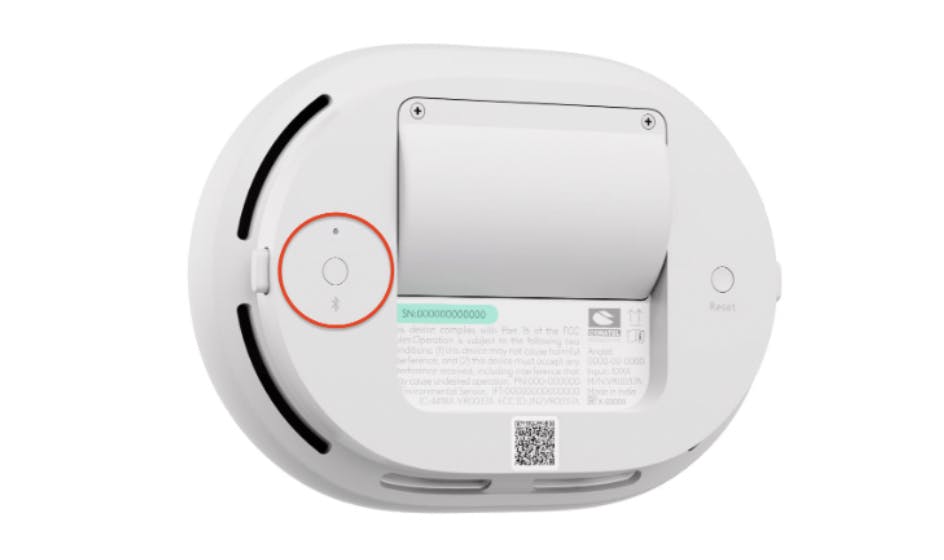
Press and hold the Bluetooth button for 7 seconds, then release.
The blue LED will begin blinking, indicating Bluetooth pairing mode is active.
Complete Pairing on Your CollabOS Device
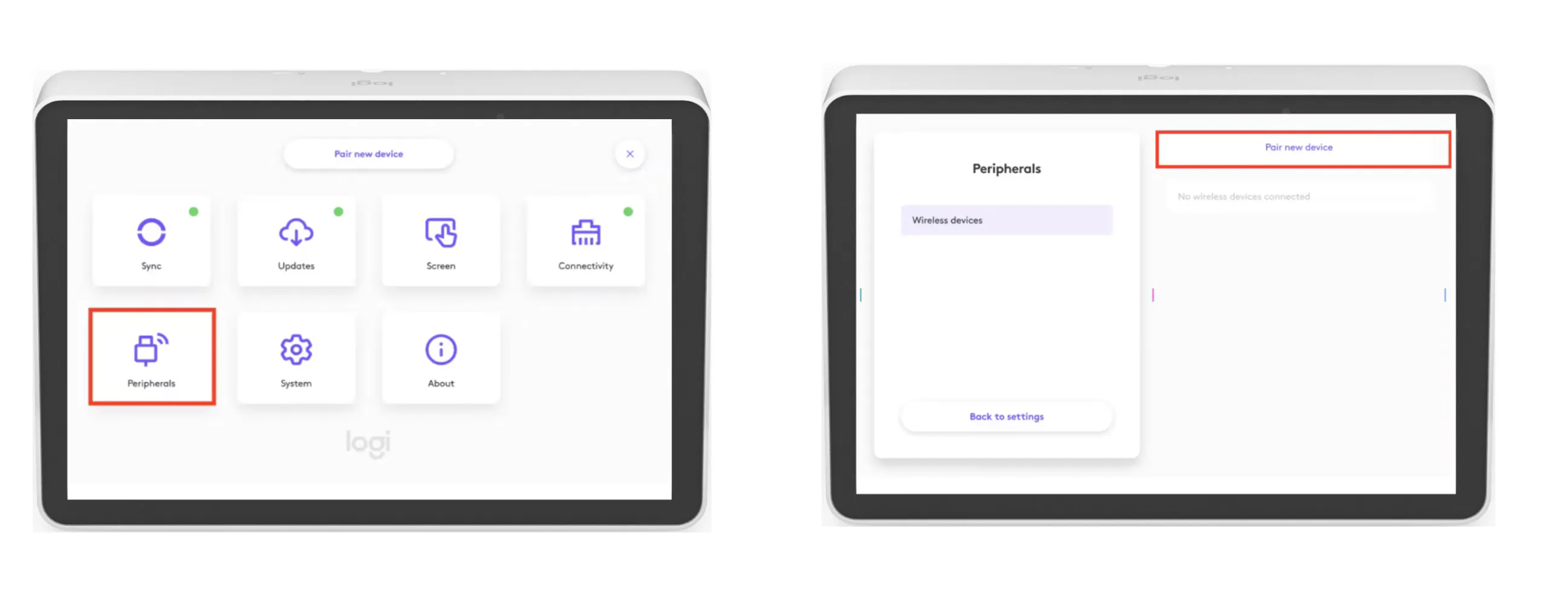
On a supported CollabOS device, go to:
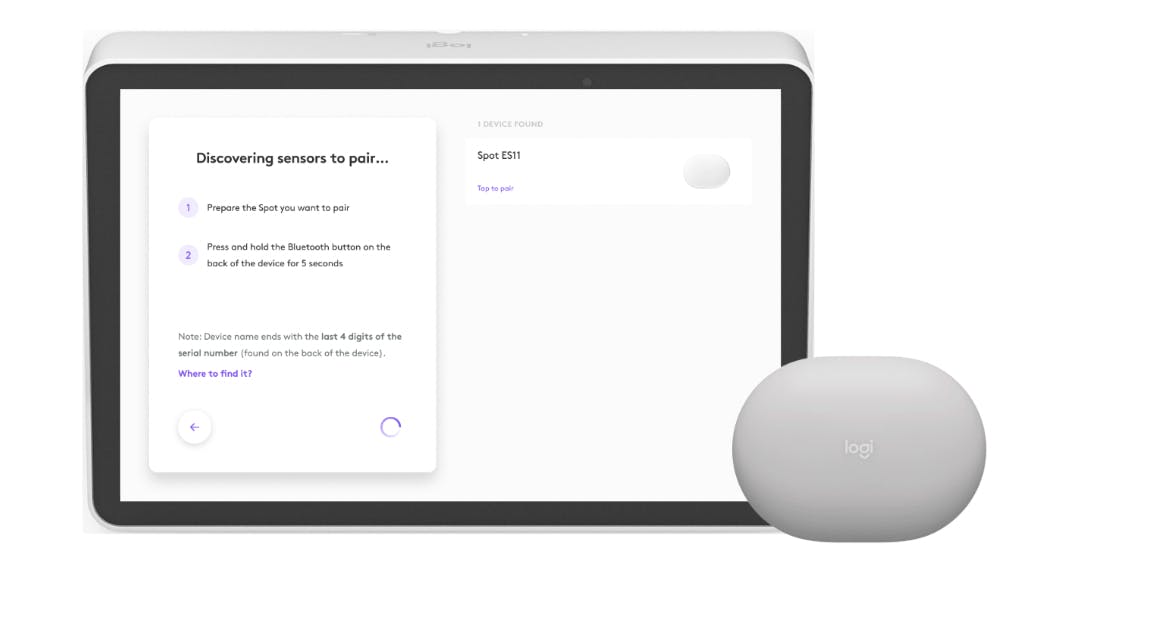
Settings > Peripherals > Wireless Devices > Pair New DeviceSelect Your Spot
Choose your Spot from the list using the last 4 digits of its serial number.Configure Occupancy Zone
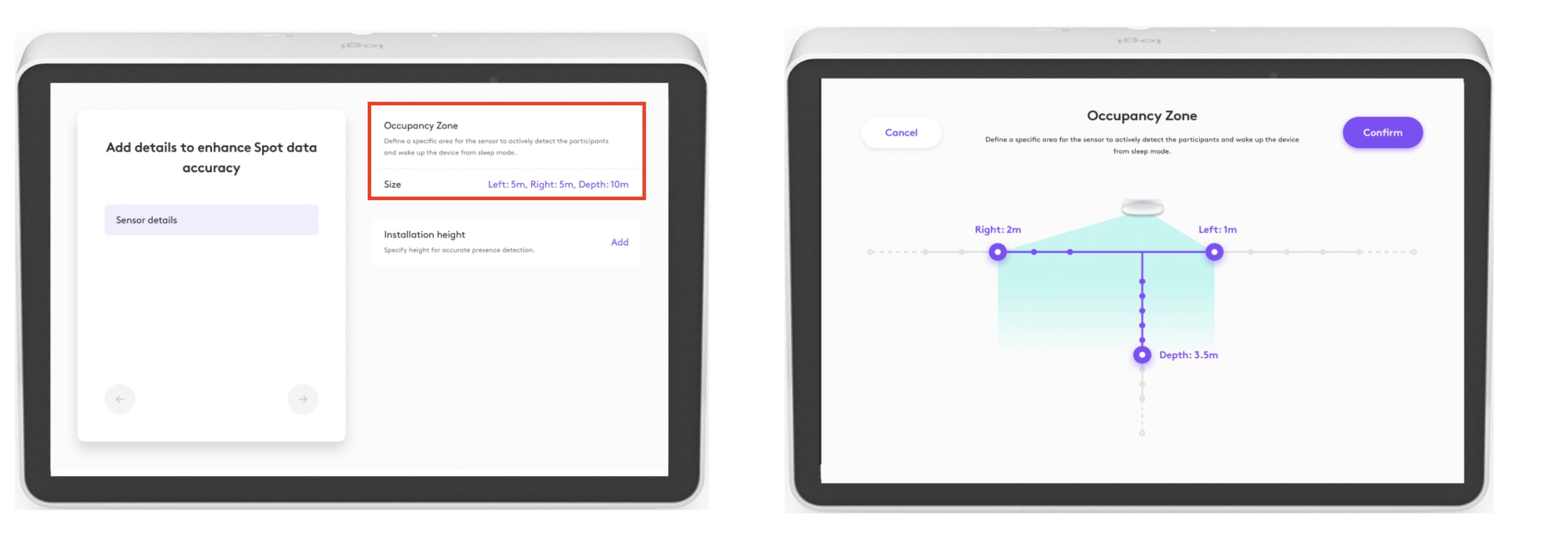
Set the Occupancy Zone to enable precise occupancy sensing.
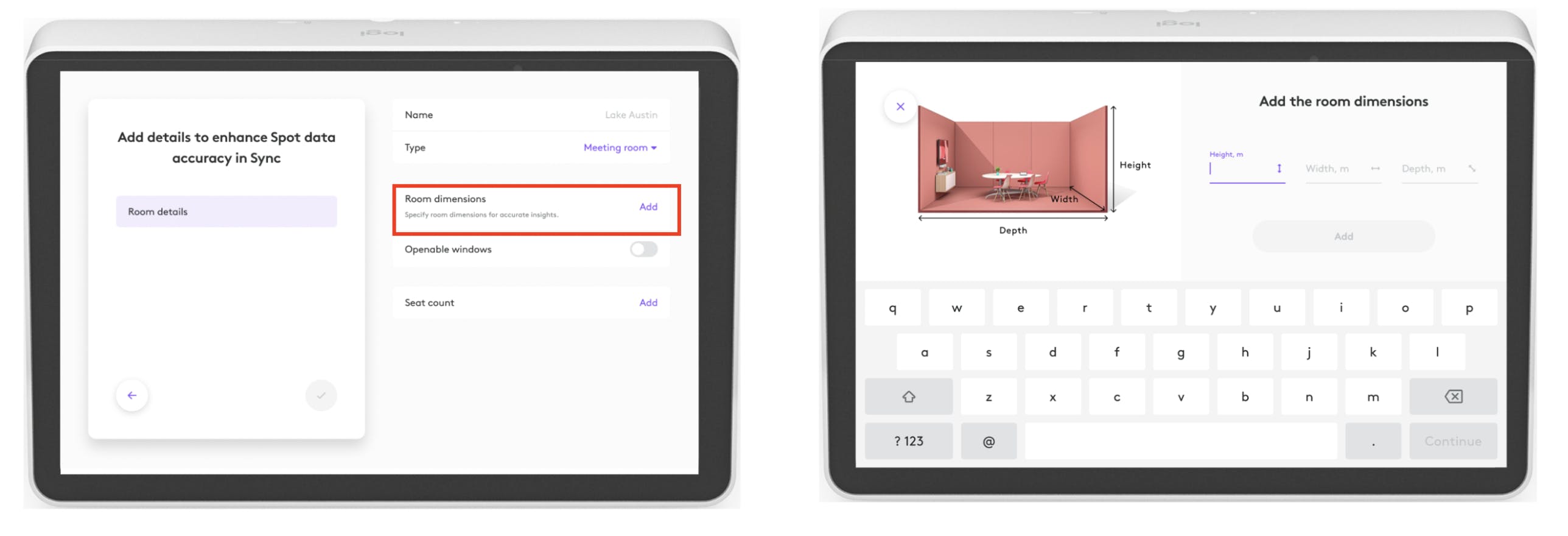
Enter Room Dimensions
Provide the below details to improve insight accuracy:Room height
Room width
Room depth
Window Configuration
Indicate whether the room has openable windows: Yes / NoVerify and Test Sensor Status
Ensure the sensor status is showing as connected.
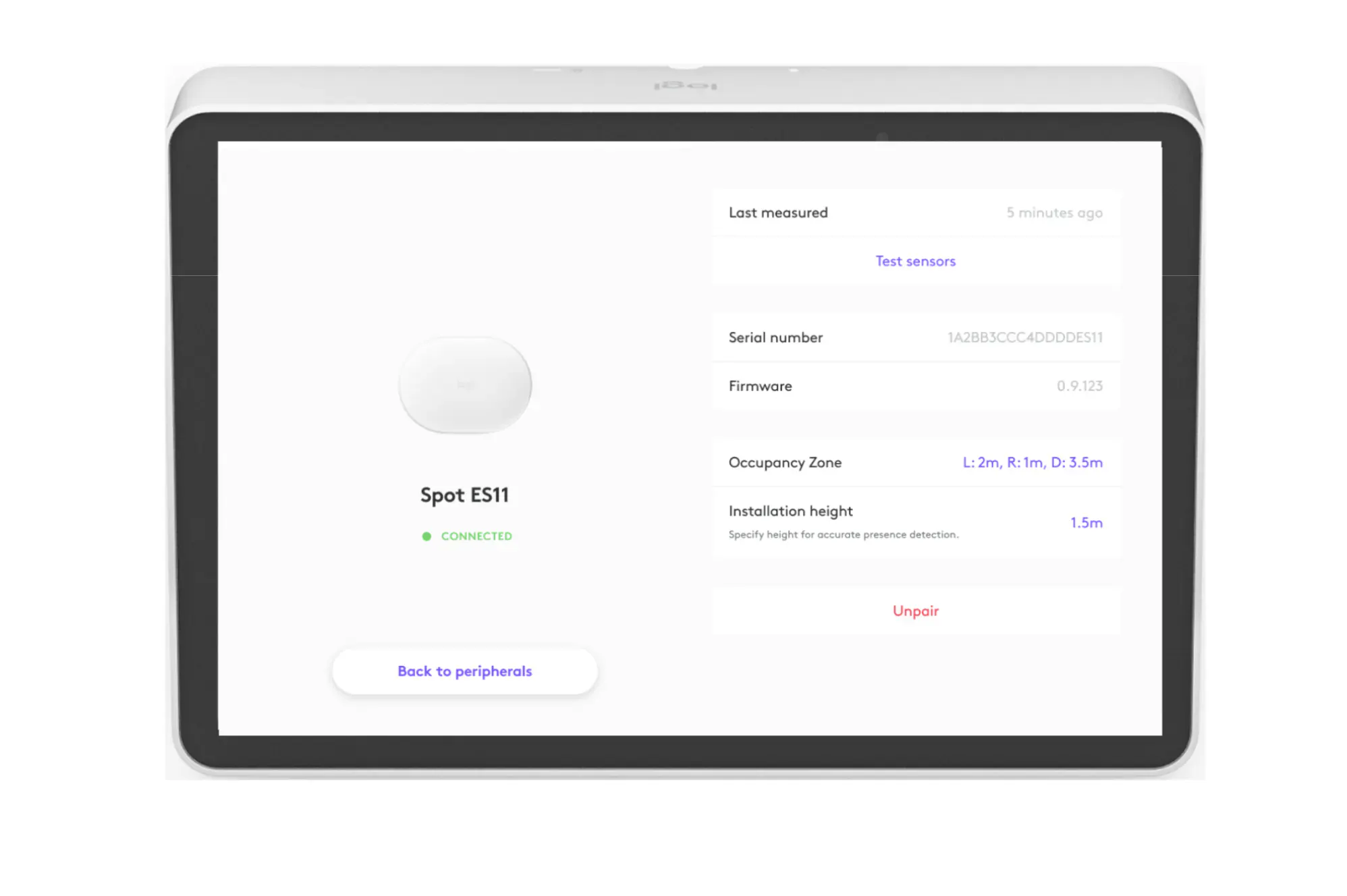
Your Spot is now successfully set up and connected to your room in Sync.