
Zoom Integration with Actions Ring
MX Master 4 for Business is certified for Zoom as a personal input device. It has undergone comprehensive third-party independent testing and review to deliver a seamless meeting experience right at your own workstation.
You can click on the below items to navigate faster to the required content.
Getting Started
Install the Zoom Meeting plugin through Logi Options+* to configure your Actions Ring.
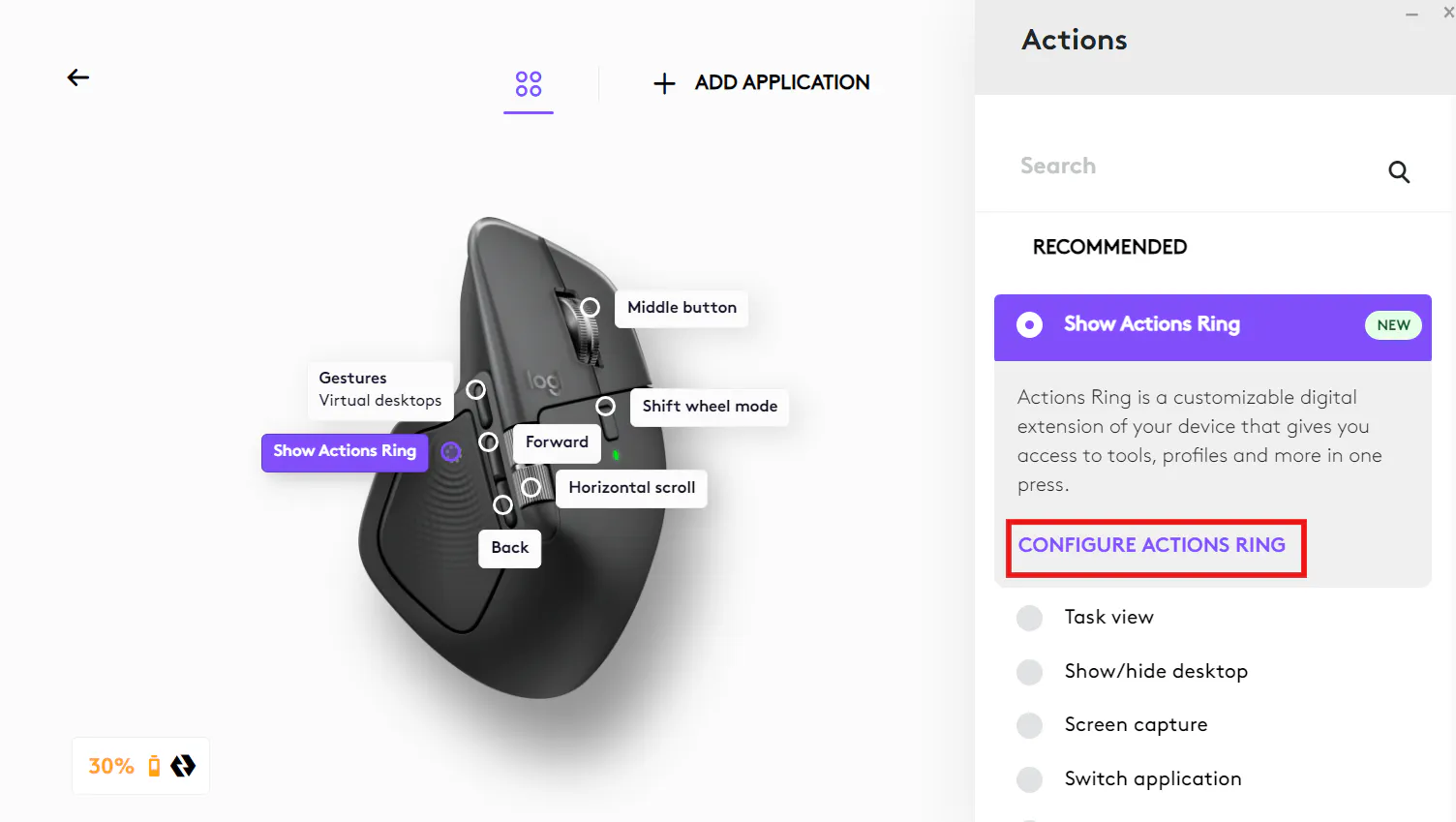
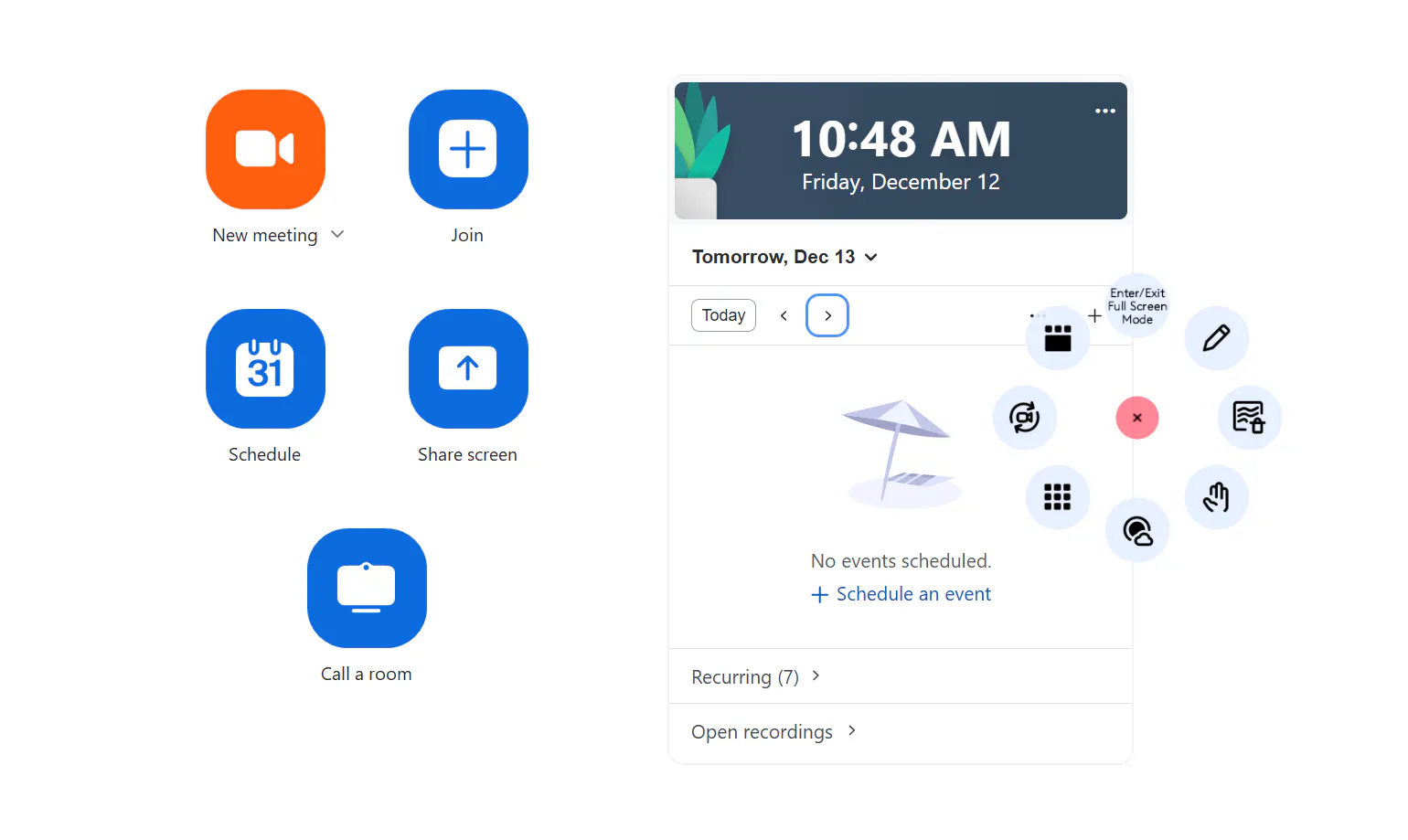
2. Once installed, the default Zoom profile is mapped automatically when you open Zoom Workplace and use the Actions Ring.
You can also personalize the Action Rings to suit your workflow using the configuration screen in Logi Options+.
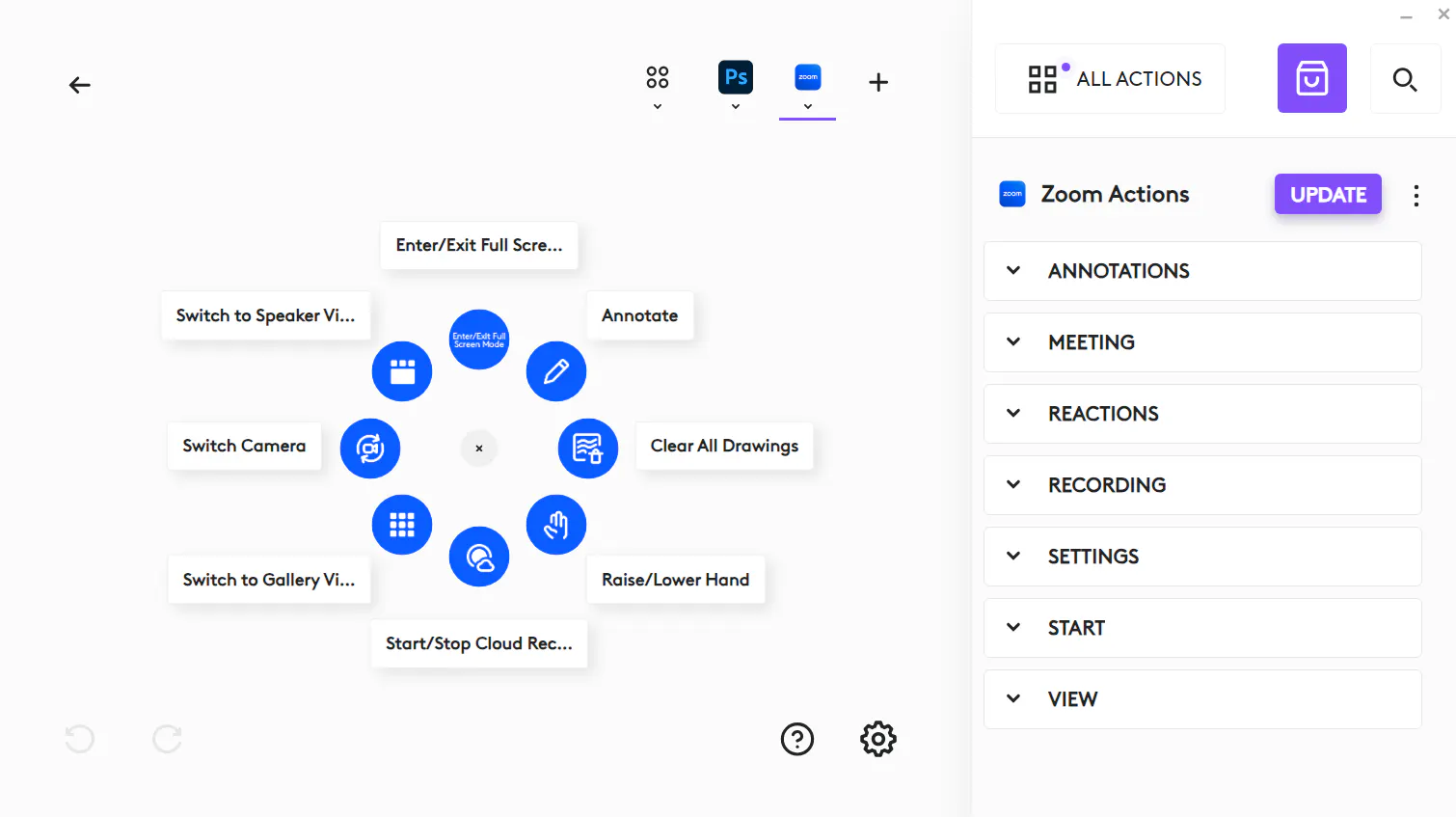
Available Actions in the Zoom Plugin
Annotations
Annotate
Clear All Drawings
Clear My Drawings
Meeting
Leave Meeting
Mute All Participants (Host Only)
Toggle Blur Background
Toggle Chat
Toggle Mute
Toggle Share Screen
Toggle Video
Unmute All Participants (Host Only)
Reactions
Applause
Laugh
Like
Love
Raise/Lower Hand
Tada
Wow
Recording
Pause/Resume Recording
Start/Stop Local Recording
Start/Stop Cloud Recording
Settings
Open Audio Settings
Open Video Settings
Start
Copy Invite Link
Invite to a meeting
Join Meeting
Start Meeting
View
Enter/Exit Full Screen Mode
Switch Camera
Switch to Gallery View
Switch to Speaker View
Toggle Gallery/Speak View
Note: Internet access is required to download Logi Options+. Downloads and software compatibility are available at: logi.com/optionsplus.