Room Energy Insights
For rooms equipped with environmental sensors, like the ones in Rally Bar 2, Rally Board 65 and Spot, Logitech can provide Energy insights. These insights show how energy-efficient your spaces are at heating and cooling. We will highlight areas of potential improvement making it simple to align all of your spaces.
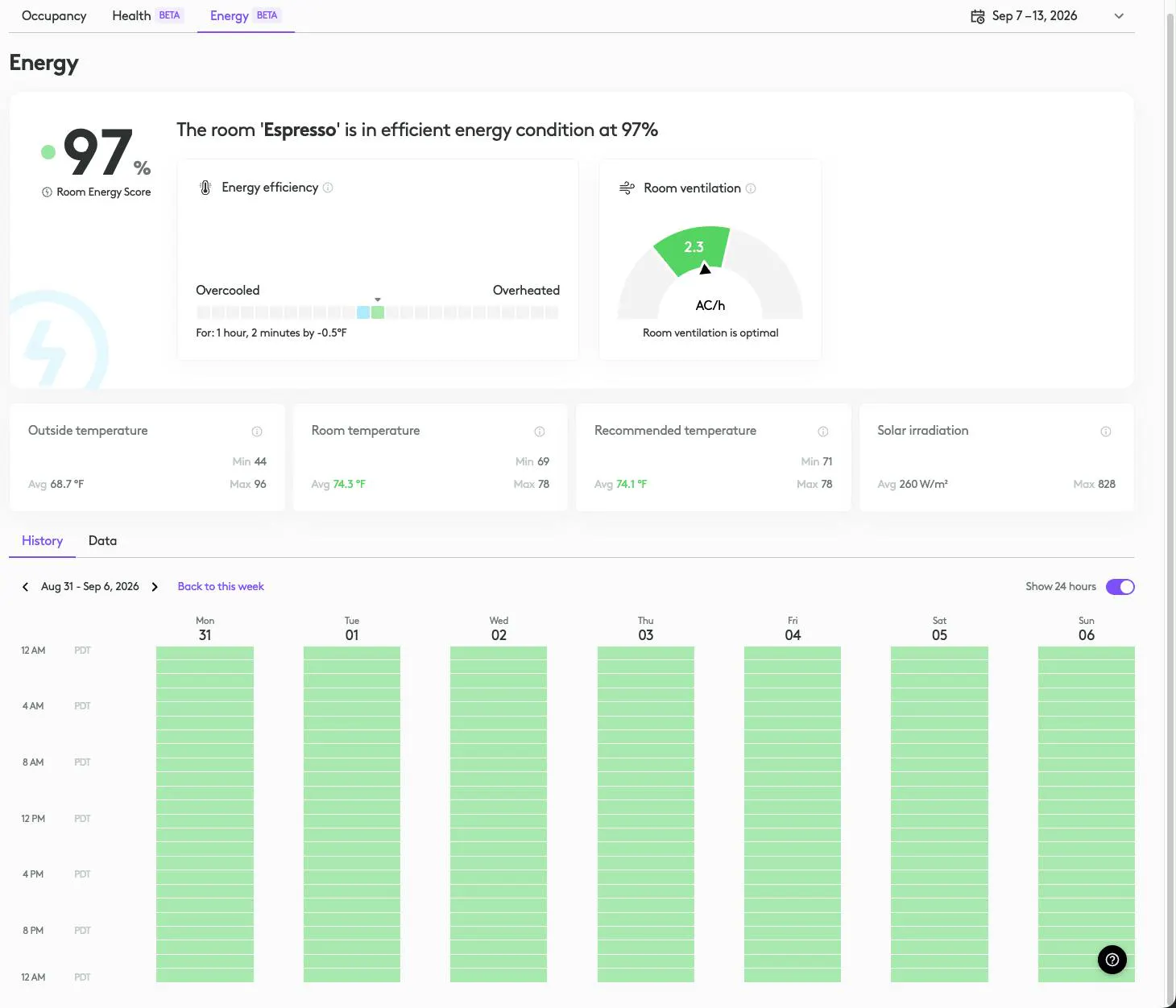
Room Energy Score
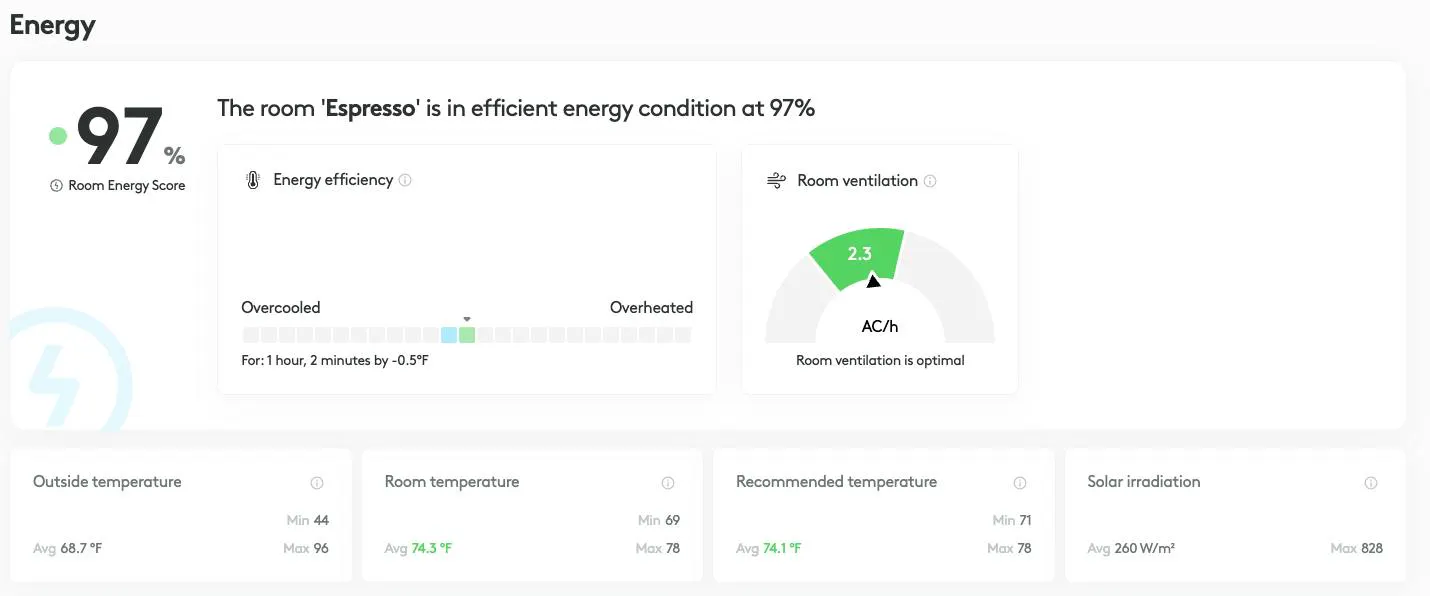
One component of the Energy insights is the Room Energy Score. The Room Energy Score evaluates the energy efficiency of your spaces by factoring in how often you are overcooling or overheating your space. It compares the inside temperature against a recommended range dynamically calculated from the outdoor temperature over the last few days. A low Room Energy Score means the room uses more energy than needed. Ultimately this allows you to determine whether you are overheating or overcooling certain areas so you can use heating and cooling as efficiently as possible.
The Room Energy Score is generated using three main metrics:
Overcooling
Overheating
Overventilation
These values are derived from the following environmental measurements:
Room temperature: Temperature inside any space with a sensor such as Spot installed.
Outside temperature: Temperature outside the building. This temperature comes from local weather data.
CO2: Using CO2, we are able to estimate a room’s ventilation rate (air changes per hour) to determine whether energy is wasted due to overventilation.
These efficiency metrics are then scored and weighted to produce the Room Energy Score.
Quick note: A key part of getting accurate measurements is ensuring that Spot is placed correctly in your spaces. Learn more about how to ensure Spot is installed correctly.
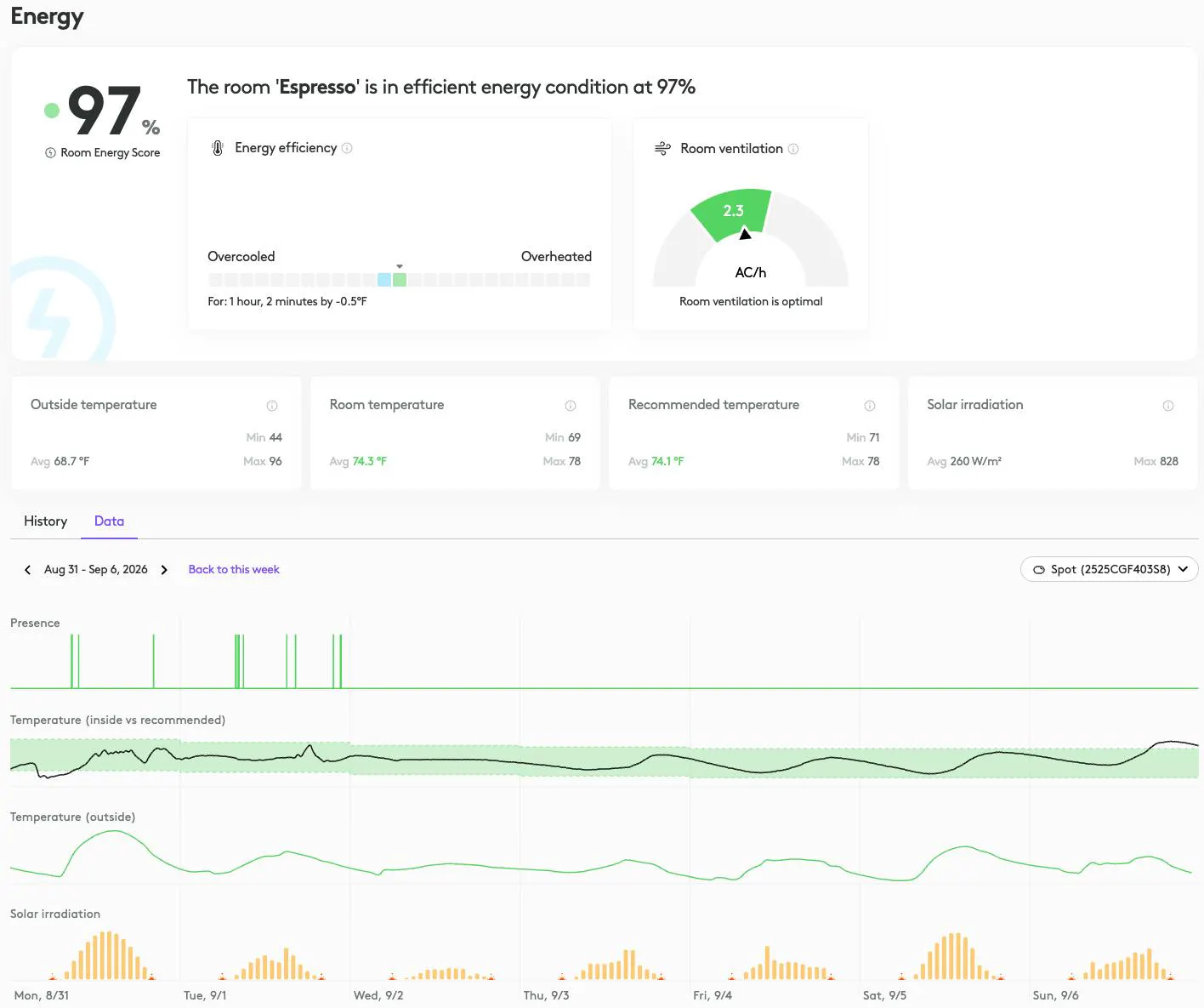
Presence
The presence of people within a room isn't a factor in the Room Energy Score itself, but viewing it alongside data like room temperature, outside temperature, and solar irradiation (a measure of sunlight intensity on a building) lets admins spot patterns worth investigating. For example, a room may look great because it’s being heated or cooled to the recommended range, but it isn’t actually occupied during that period. So looking at presence can provide additional insights beyond what you learn from the Room Energy Score alone.

Room Temperature
Room Temperature is gathered from Logitech devices like Spot and Rally Board 65 that support indoor temperature measurements. It is a big part of the algorithm that makes the Room Energy Score possible: on its own, an indoor reading doesn't tell you much, but measured against outside temperature, solar irradiation, and the recommended temperature range, it shows whether a space is heated and cooled efficiently.
Room temperature is also what we track over time to see how a space actually behaves. By watching how room temperature moves in relation to outside temperature and solar irradiation, we can tell how much of any given change is coming from the building and weather versus from the HVAC system. That distinction is what lets us calculate the extra heating or cooling effort a room uses beyond what would happen naturally, and it's a key metric for calculating the Room Energy Score.

Recommended Temperature
The recommended temperature is critical for understanding whether a room is being overcooled or overheated. When a room is heated or cooled beyond what is needed for comfort, energy is wasted.
We determine whether a building is actively heating or cooling by combining its indoor readings, the outdoor temperature, and the recommended room temperature baseline set from regulatory or international guidance. This lets us isolate the "natural" drift of indoor temperature from the effect of active conditioning. Once we know the extra heating or cooling effort required beyond that natural baseline, we can quantify energy efficiency..
Recommended temperature dynamically adjusts using a rolling seven-day average of outdoor conditions, so it tracks seasonal shifts rather than day-to-day swings. It’s shown as a green band on the temperature graph.

Outside Temperature
Outside Temperature is a core input as it establishes the baseline we use to assess whether a room is heated or cooled efficiently. A room's indoor temperature is never purely a product of the HVAC system. It's constantly influenced by what's happening outside, and without knowing the outdoor temperature we can’t tell whether a room reading is the result of active HVAC conditioning or outside temperatures affecting the inside.
Outside temperature also lets us model what the room would do naturally with no heating or cooling running, which is the baseline we compare actual performance against to determine overcooling or overheating. We pull this data based on the geographical location of the building. Together with solar irradiation, outside temperature is one of the two environmental inputs that let us separate what the weather is doing from what your HVAC system is doing. That distinction is part of what makes an accurate Room Energy Score possible.

Energy Efficiency
The energy efficiency indicator found in the tool tip when you hover over data on the Energy tab will let you know the efficiency of that point in time.
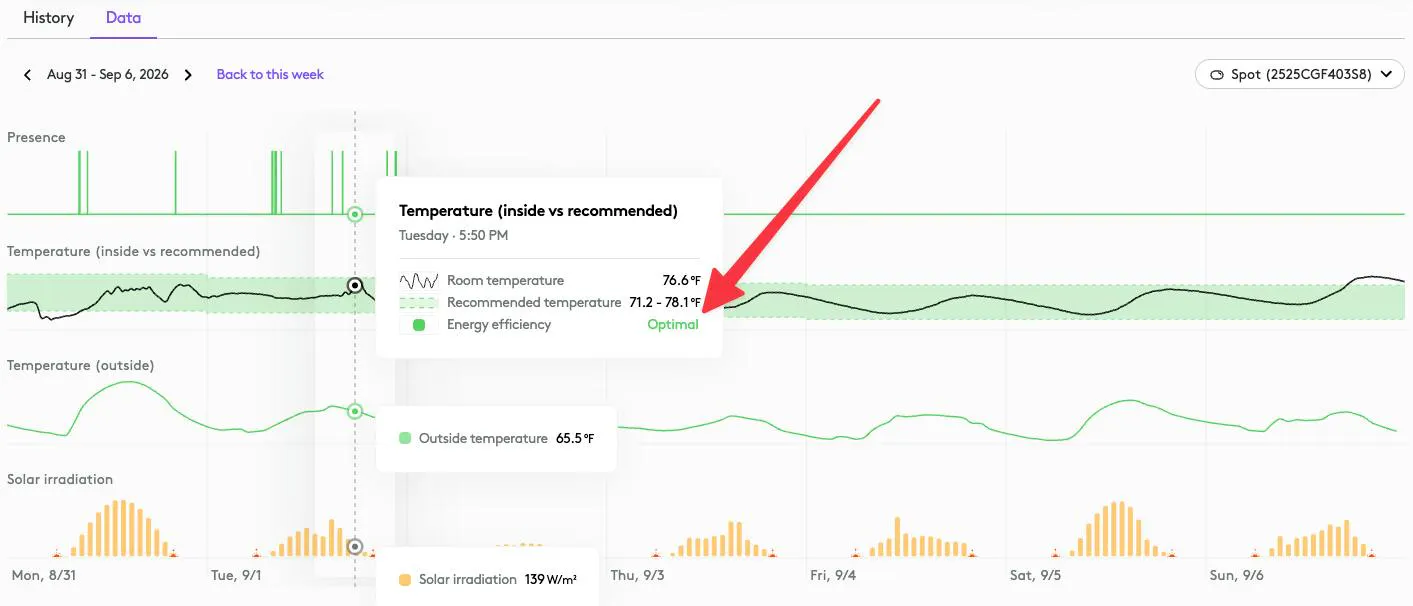
You will see one of the following states:
Optimal: The room is operating in an optimal energy efficient state.
Overheated: The room is being overheated by building HVAC.
Overcooled: The room is being overcooled by building HVAC.
Solar Irradiation
Solar Irradiation is a measurement of the intensity of sunlight reaching a given area, measured in watts per square meter (W/m²). We use solar irradiation data to identify periods during the day when sunlight is likely to contribute to building heating. When viewed alongside inside and outside temperatures, it helps you understand and anticipate HVAC heating and cooling needs.
