
Controls and light indicator on Zone Wired 2
Below you will find a guide covering the controls and light indicator on Zone Wired 2:
Controls
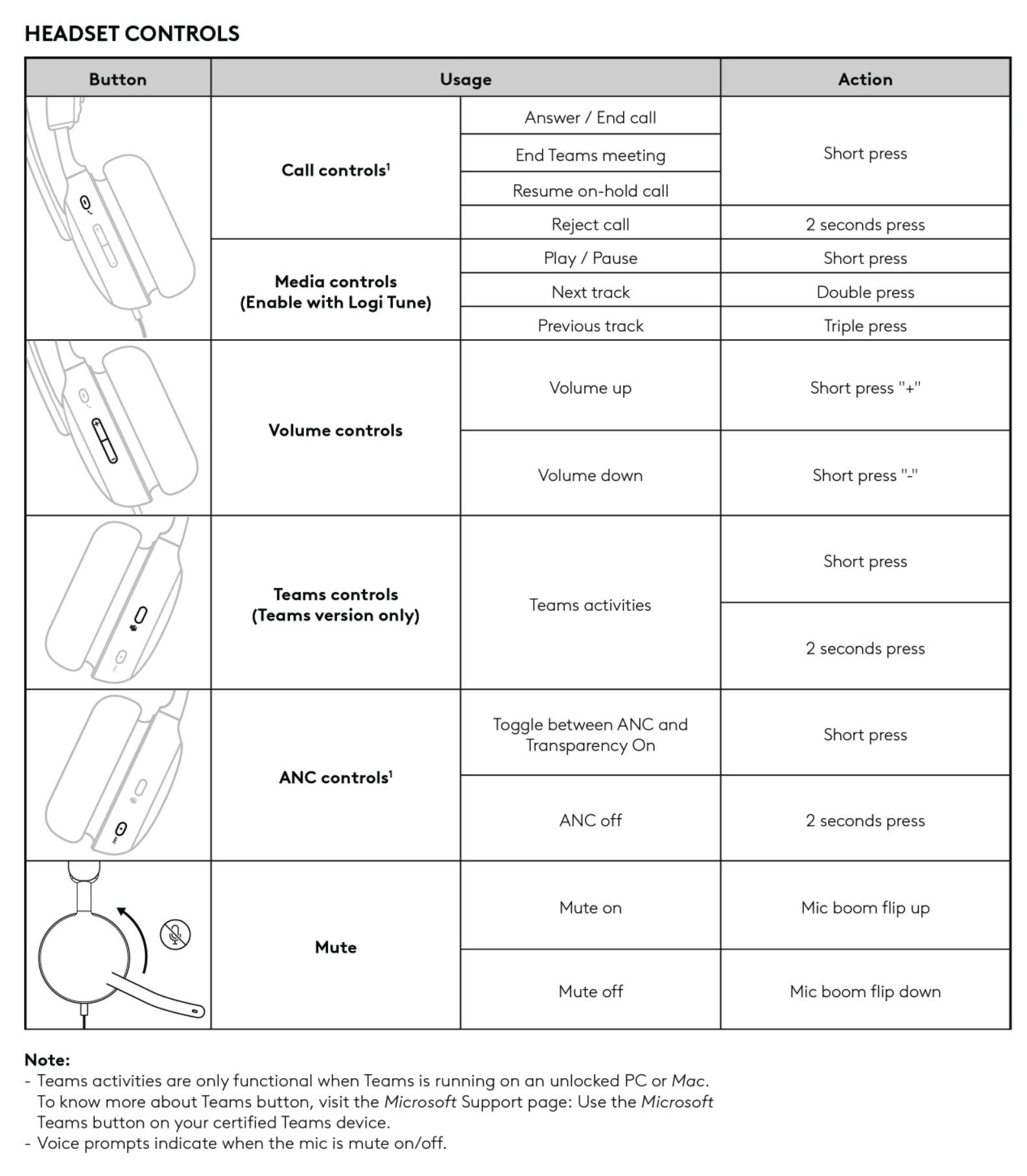
NOTE: Voice prompts indicate when the mic is mute on/off.
Call controls
Answer / End call - Short press
Reject call - 2 seconds press
Media controls (Enable with Logi Tune)
Play / Pause - Short press
Next Track - Double press
Previous track - Triple press
Volume controls
Volume up - Short press "+"
Volume down - Short press "-"
ANC controls
Toggle between ANC and Transparency On - Short press
ANC off - 2 seconds press
Mute
Mute on - Mic book flip up
Mute off - Mic boom flip down
Connector Light Indicator
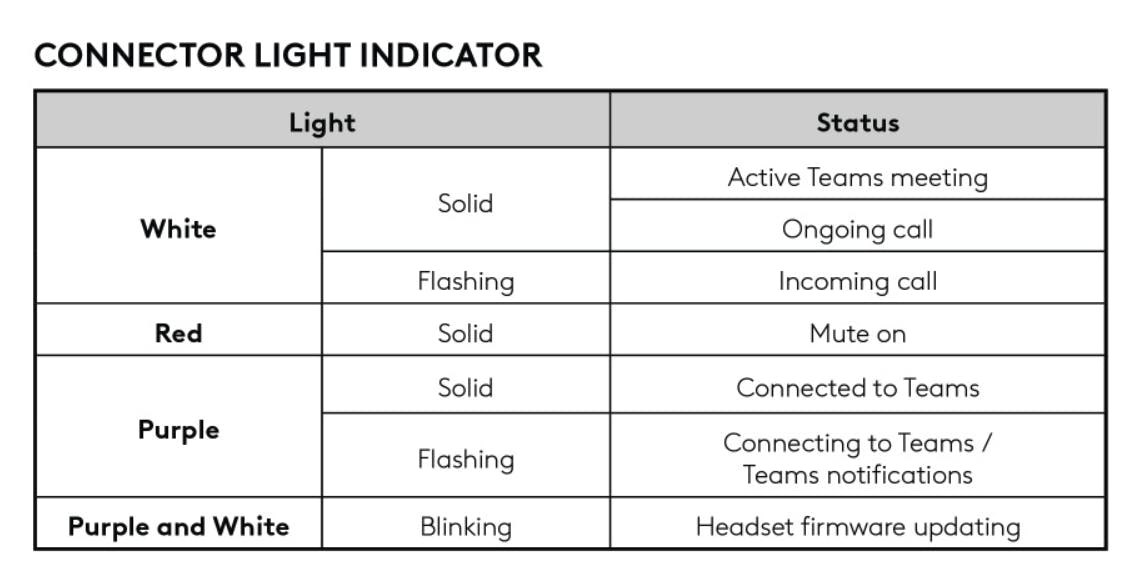
White
Solid - Ongoing call
Flashing - Incoming call
Red
Solid - Mute on
Purple and White
Blinking - Headset firmware updating